CueClip for Skool Creators
Ship better lesson videos inside your Skool community without spending hours per recording.

Quick answer
If you run a Skool community with recurring educational content, CueClip helps you ship polished lessons faster by automating transcript cleanup and reducing repetitive post-production tasks.
From raw recordings to community-ready content
Skool creators grow by consistency. CueClip helps you publish educational content on schedule by automating the most repetitive cleanup steps in long-form video editing.
The fastest growth loops on Skool usually come from dependable content delivery. A streamlined editing workflow is often the difference between announcing lessons and actually shipping them — especially when community chat already consumes hours each week.
Many Skool operators record casually, then feel stuck polishing. CueClip turns that casual capture into a curriculum asset: remove ums, cut false starts, tighten silence, caption, and publish into the classroom tab without a full NLE learning curve.
Common Skool creator editing pain points
- Too much time spent manually removing filler words and dead air
- Post-production backlog after live sessions or weekly recordings
- No repeatable process for converting long videos into clear modules
- Difficulty producing promo clips from existing lesson footage
Stats and pricing that matter for communities
- Weekly shipping: communities judge value by whether new modules actually appear.
- Ownership economics: $149 lifetime or $19/month beats stacking another credit-heavy editor for every launch month.
- ~14 hours of video per $5 AI credit (ballpark) keeps AI cost understandable as your library grows — or bring your own OpenAI, Claude, or Deepgram key.
Workflow advantages
- Screen and optional camera recording in-app, then edit in the same project
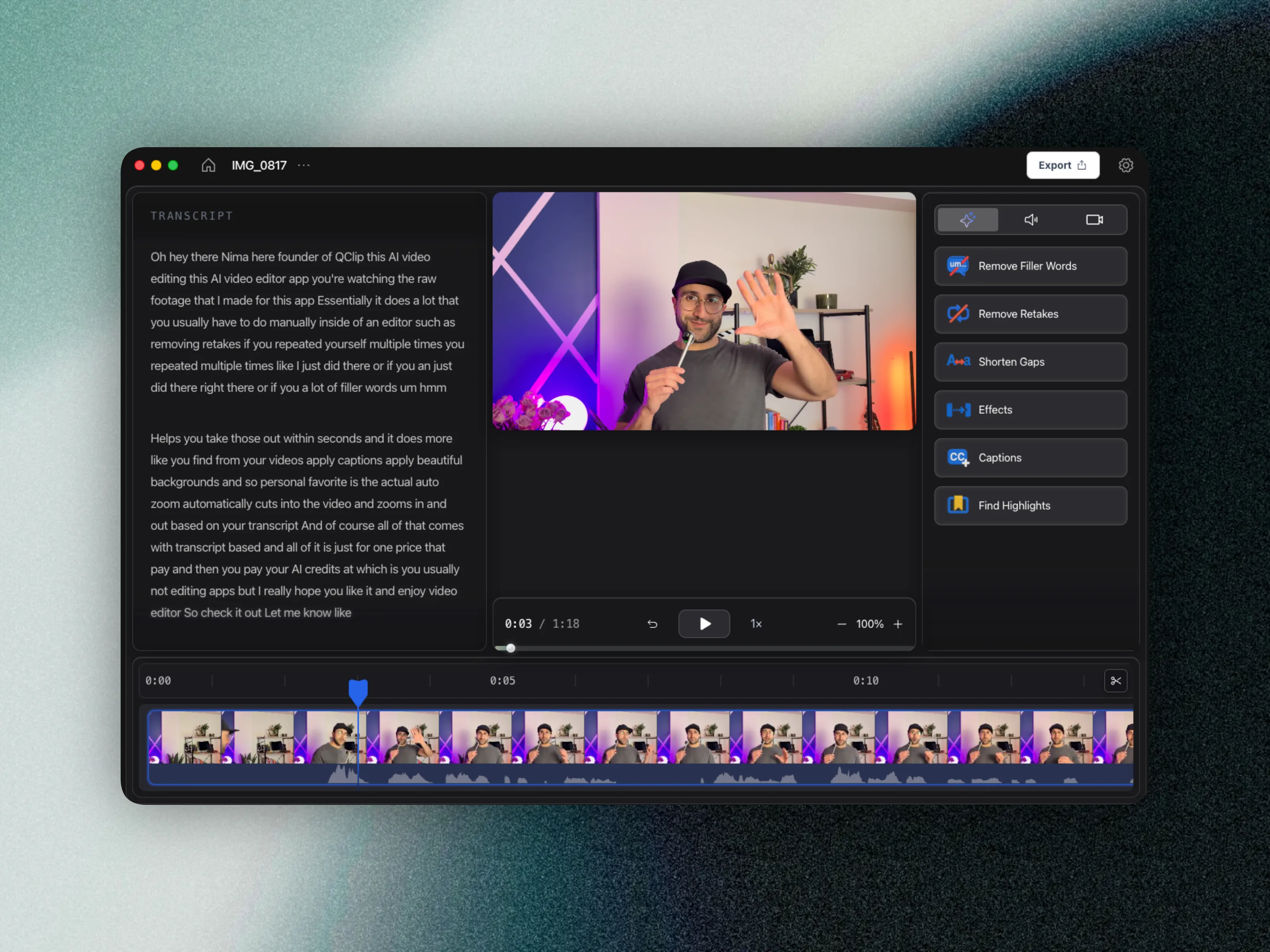
- Transcript-first editing for fast structural cleanup
- Automatic detection of filler words and retakes
- Pacing cleanup with silence/gap reduction
- Highlight snippets for social and community announcements
Skool publishing workflow comparison
| Workflow area | Manual editing path | CueClip path |
|---|---|---|
| Lesson cleanup | Timeline-first manual pruning | Transcript-led structural cleanup |
| Pacing fixes | Time-consuming manual cuts | Automated gap and silence reduction |
| Retakes | Hard to track and remove | Faster retake identification |
| Repurposed clips | Separate tools and extra work | Highlights from same lesson project |
FAQ
How should Skool creators split Loom vs CueClip?
Use Loom for quick community updates and DMs-style walkthroughs. Use CueClip for curriculum modules members pay to access so filler and retakes do not define the brand.
Does CueClip help with Skool promo clips?
Yes. After you clean a lesson, export highlight clips for announcements, social, and invite funnels without rebuilding the edit in a separate short-form tool first.
Who this page is for
- Skool educators posting weekly modules
- Community operators building premium course libraries
- Coaches creating recurring educational series
Related: best auto-edit tools for course creators