
Quick answer
CapCut is excellent for social-first short-form content. CueClip is stronger for educational long-form editing where transcript cleanup and lecture pacing matter most.
CueClip vs CapCut: What matters for course creators
CapCut is often the first editor course creators open because it is free, template-rich, and optimized for Reels and TikTok. That strength becomes a weakness when the core product is a 40-minute Udemy or Maven lesson that needs clean speech, not trending transitions.
CueClip vs CapCut is really a format decision: are you optimizing for algorithm clips or for lesson completion? CapCut wins the former; CueClip wins the latter — and can still export highlights after the long-form edit is solid.
What CapCut does well
CapCut thrives when virality and vertical templates matter more than lecture continuity. Effects, music beds, and text overlays ship fast for social teams.
Where CapCut is stronger
- Large template ecosystem for short-form trends
- Beginner-friendly social editing workflows
- Strong vertical video creative effects

Where CueClip is stronger for long-form lessons
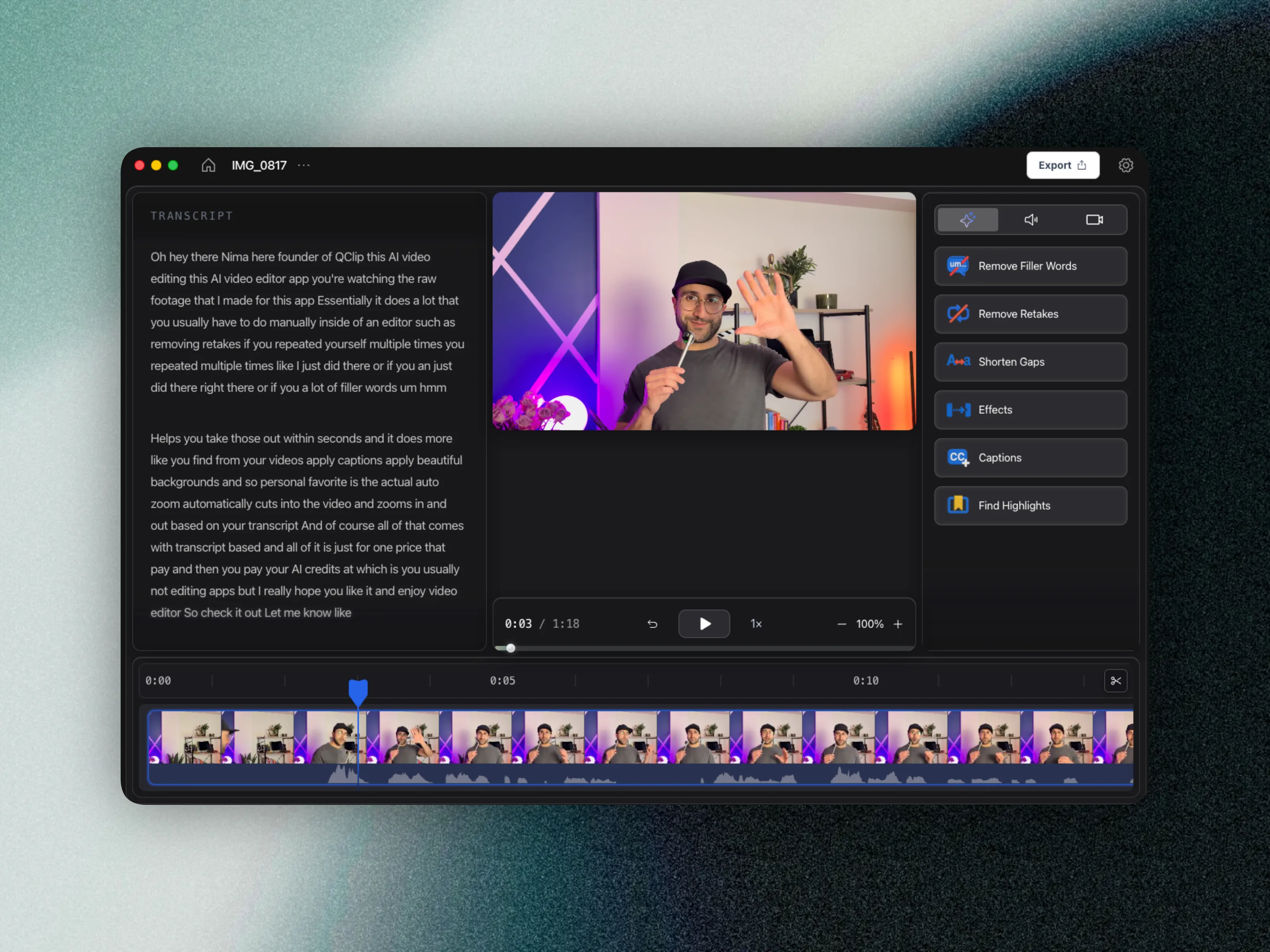
CueClip is built so educators can finish the lesson first — transcript cleanup, retake removal, captions — then pull promo clips from a publish-ready master instead of rebuilding quality inside a short-form tool.
Where CueClip is stronger
- Purpose-built for full lecture and module editing
- Cleaner transcript-driven long-form workflow
- Better fit for knowledge products and paid courses
- Higher consistency for recurring educational publishing
Feature differentiation table
This is the practical side-by-side view for people comparing CapCut alternatives, CueClip pricing, and long-form course editing outcomes.
| Capability | CapCut | CueClip |
|---|---|---|
| Screen & camera recording | Varies by tool | Yes (desktop app) |
| Transcript-first editing | Available | Yes, core workflow |
| Filler word removal | Varies by plan/tool | Yes, one-click workflow |
| Retake detection | Limited or manual | Yes, optimized for lecture cleanup |
| Silence and gap cleanup | Manual-heavy in many workflows | Built in |
| Highlight clip extraction | Available in limited workflows | Built in for lesson + promo |
| 4K export workflow | Tier or plan dependent | Yes |
| Pricing model | Subscription / recurring cost | Lifetime $149 one-time or $19/month |
Pricing and ownership comparison
For educators shipping every week, pricing model and ownership matter as much as features. This is where many creators start searching for a capcut alternative in the first place.
| Decision factor | CapCut | CueClip |
|---|---|---|
| Base pricing pattern | CapCut uses recurring pricing | CueClip offers lifetime ($149) or $19/month |
| Cost predictability | Varies by usage and plan changes | More predictable for educators |
| Ownership | Access tied to subscription status | Lifetime: keep forever. Monthly: access while subscribed. |
| Best economic fit | Teams with broader media stack needs | Creators shipping weekly long-form lessons |
Why creators switch workflows
- Social templates do not fix ums, false starts, or awkward lecture pacing.
- Long-form CapCut timelines get messy once modules exceed typical short-form length.
- Paid course buyers judge clarity and pacing more than transition packs.
A practical split stack
Many creators keep CapCut for community promo clips while moving lesson masters into CueClip. That split avoids forcing a social editor to behave like a course production tool.
If nearly all of your revenue comes from long-form lessons, start in CueClip so quality compounds in the asset students actually buy.
Who each tool is for
CapCut: Social creators optimizing for trend-based short clips and fast iteration.
CueClip: Educators building complete course libraries and paid lesson programs.
FAQ: CueClip vs CapCut
Does CueClip record screen or camera?
Yes. The macOS desktop app can capture your screen or a window, with optional camera and microphone. When you finish recording, CueClip opens the footage as a project so you can edit immediately.
Is CueClip a good CapCut alternative for course creators?
Yes, especially if your workflow is lecture-heavy and you want transcript-first cleanup, faster edits, and more predictable ownership economics.
Who should stay with CapCut?
Creators whose primary use case matches CapCut's native strengths should stay there. This is not about replacing every tool, it is about choosing the right one for your highest-frequency workflow.
Does CueClip support long-form educational content better?
For most educators, yes. CueClip is optimized for cleaning spoken lessons quickly and producing publish-ready exports without forcing timeline-heavy complexity.
Related comparisons and guides
- CueClip vs Screen Studio
- CueClip vs Loom
- CueClip vs Opus Clip
- CueClip vs Submagic
- How to Edit Course Lectures Fast
- Best Auto-Edit Tools for Course Creators (2026)
- CueClip pricing
Final verdict
Both tools are strong when matched to the right workflow. If your priority is long-form educational editing speed with transcript-led cleanup, CueClip is usually the better fit.